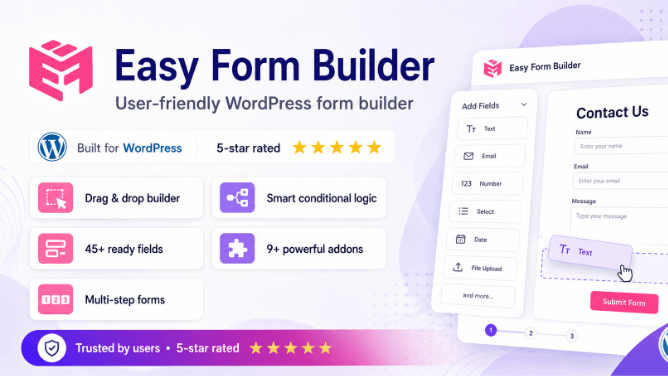
Overview: Key New Features in Version 4.0
Easy Form Builder version 4.0 is a complete architecture rewrite with major new features, add-ons, and a redesigned interface built on Bootstrap 5. Below is a summary of what’s new — scroll down for detailed descriptions of each feature.
Drag & Drop Email Template Editor
Design professional email notification templates with a visual block-based editor — no coding required. Add headers, logos, buttons, social links, and custom HTML blocks.
Response Box Customizer
Fully customize the response viewer appearance with adjustable colors, fonts, and layouts — dynamic CSS variables give you complete control over the response experience.
Telegram Bot Integration
Receive instant form submission notifications directly in Telegram. Test connections, view activity logs, and manage everything from the WordPress dashboard.
PayPal Payment Integration
Accept one-time and subscription payments through PayPal. Manage transactions, process refunds, suspend or reactivate subscriptions — all from your dashboard.
Auto-Populate Datasets
Auto-fill form fields from CSV datasets or external APIs. Create smart dynamic forms that populate options based on user input in real-time.
Redesigned UI with Bootstrap 5
Modern, clean admin interface built on Bootstrap 5 with full RTL support, responsive layouts, Bootstrap Icons, and improved mobile experience.
Native Page Builder Support
Drop forms into any page with native Elementor, Gutenberg, WPBakery, and Visual Composer integrations — dedicated widgets, blocks, and shortcodes included.
Enhanced Security & Bot Protection
Shield Security silentCAPTCHA integration, CORS origin validation, nonce-protected REST API endpoints, and a new role-based capability system.
40+ Form Field Types
E-signature, location picker (OpenStreetMap), image picker, international telephone, rating stars, NPS, date pickers (Gregorian, Hijri, Jalali), and more.
Drag & Drop Email Template Editor
Version 4.0 introduces a visual drag-and-drop email template editor that lets you design professional email notifications for form submissions — without writing a single line of code. This is a completely new feature that replaces the simple text-based email configuration from version 3.
How It Works
The editor uses a block-based system where you add, remove, reorder, and configure individual content blocks on a visual canvas. Each block generates email-safe HTML that is compatible with all major email clients (Gmail, Outlook, Apple Mail, Yahoo Mail).
Available Email Blocks
Design Features
- 20 color presets — Quickly apply brand colors from a preset palette.
- 15 email-safe fonts — Segoe UI, Arial, Helvetica, Verdana, Georgia, Courier New, Tahoma (RTL), and more.
- Global font settings — Apply a consistent font family across all blocks at once.
- RTL support — Full right-to-left compatibility for Persian, Arabic, and Hebrew emails.
- Shortcode system — Dynamic content placeholders (
shortcode_title,shortcode_message,shortcode_website_url,shortcode_website_name) that auto-fill with real data when emails are sent. - Pre-built templates — Start from a blank template or choose from pre-designed layouts.
- XSS protection — All user input is sanitized through comprehensive XSS pattern matching to prevent code injection in email templates.
Email Block Types
- Header
- Logo
- Title
- Text Block
- Message Content
- Button (CTA)
- Image
- Two Columns
- Social Links (20+)
- Divider
- Spacer
- Footer
- Custom HTML
Response Box Customizer
The form response/reply viewer in version 4.0 is completely redesigned and now supports full visual customization through dynamic CSS variables. Administrators can change colors, fonts, and backgrounds to match their brand — without custom CSS knowledge.
Customizable Properties
The response box supports 15+ customizable CSS variables that control every visible aspect:
| Setting | What It Controls |
|---|---|
| Primary Color | Main accent color for buttons, links, and highlights |
| Primary Dark | Darker accent for admin avatars and hover states |
| Accent Color | Status badges and secondary highlights |
| Text Color | Main message text color |
| Muted Text | Metadata, timestamps, and labels |
| Card Background | Message card background color |
| Meta Background | Metadata section background |
| Response Background | Reply area background |
| Editor Background | Rich text editor background |
| Editor Text & Placeholder | Reply editor text and placeholder colors |
| Button Text | Action button text color |
| Font Family | Custom font for the entire response viewer |
| Font Size | Base font size for all response content |
Rich Reply Editor
The response box includes a built-in rich text editor for admin replies with the following capabilities:
- Text formatting toolbar — Bold, Italic, Underline, and Clear Formatting buttons.
- File attachments — Drag-and-drop or browse to attach files to admin replies.
- Markdown-like shortcodes —
**bold**,*italic*,__underline__are converted to HTML automatically. - Auto-link detection — URLs in messages are automatically converted to clickable links.
- PDF download — Print or download the conversation thread as PDF.
- Admin & visitor avatars — Visual distinction between admin replies and user messages with gradient avatars.
- Full RTL support — Right-to-left text rendering for Persian, Arabic, and Hebrew.
Card-Based Message Design
Each message displays in a modern card layout with rounded corners (16px radius), hover shadows, sender avatar, role badge, timestamp, and smooth scrolling — creating a chat-like experience for managing form submissions.
New Add-ons & Integrations
Version 4.0 introduces a modular add-on system that extends the core plugin with powerful integrations. Each add-on is loaded conditionally — only when enabled — ensuring zero performance impact when not in use.
Telegram Bot Integration
Connect your WordPress forms to Telegram and receive instant notifications every time a form is submitted. The Telegram add-on supports:
- Bot Token & Chat ID configuration — Connect to any Telegram bot in seconds.
- Connection testing — Verify your bot is connected before going live.
- Test message sending — Send a test message to confirm delivery.
- Activity logging — Track all sent notifications in a dedicated database table with full history.
- Activity log management — View and clear notification history directly from the dashboard.
- Admin reply notifications — Get notified in Telegram when admins reply to submissions.
- Onboarding guide — Step-by-step setup documentation built into the plugin.
- Dedicated admin menu — Easy Form Builder → Telegram for easy access.
PayPal Payment Integration
Accept payments directly through your WordPress forms with full PayPal integration. Create donation forms, order forms, booking forms, or subscription-based payment forms.
- One-time payments — Collect single payments for products, services, or donations.
- Subscription payments — Monthly and yearly recurring billing.
- Subscription management — Suspend, reactivate, or cancel subscriptions from the dashboard.
- Refund processing — Issue full or partial refunds directly from WordPress.
- Transaction history — View all payments with status tracking (pending, completed, failed, refunded).
- Payer information — Stores payer email, name, and IP for records.
- Unified payment table — PayPal and Stripe share a single payment management table for consistent reporting.
- Admin payment dashboard — Dedicated payment management page in the admin panel.
Enhanced Stripe Payment
Stripe integration has been enhanced in version 4.0 with the same unified payment architecture as PayPal — including subscription support, refund processing, and a dedicated payment management dashboard in the admin panel.
Auto-Populate Datasets (Autofill)
The Auto-Populate add-on allows you to create intelligent forms that automatically fill field values based on user input. This is useful for lookup forms, customer data retrieval, and dynamic option loading.
- CSV dataset import — Upload CSV files as data sources for auto-completion.
- External API connections — Connect to external REST APIs to fetch and populate form fields dynamically.
- JSON template support — Define POST/PUT/PATCH request templates for API integrations.
- Real-time population — Field values update dynamically as users interact with the form.
- Dedicated admin pages — Separate pages for managing datasets and API integrations.
SMS Notification Add-on
Send SMS text message notifications when forms are submitted. The SMS add-on integrates with the WSMS plugin and provides a configuration panel at Easy Form Builder → SMS.
Additional Add-ons in Version 4.0
Offline Forms
Collect form submissions even without an internet connection. Data is stored locally and synced when connectivity is restored.
Conditional Logic
Show or hide form fields based on user input. Create smart forms that adapt dynamically to user choices.
Hijri & Jalali Date Pickers
Islamic (Qamari/Hijri) and Persian (Shamsi/Jalali) calendar date pickers for regional forms.
Zarinpal (Persia Pay)
Zarinpal payment gateway integration for Iranian users — create bills, validate payments, and process transactions via Zarinpal API v4.
Google Sheets (Coming Soon)
Export form submissions directly to Google Sheets for collaborative data management and reporting.
Redesigned User Interface
Version 4.0 includes a complete UI overhaul across both the admin dashboard and public-facing forms. The interface has been rebuilt on Bootstrap 5 for a modern, consistent, and accessible experience.
Admin Dashboard
- Bootstrap 5 framework — Modern grid system, utilities, and components throughout the admin panel.
- Bootstrap Icons — Consistent iconography replacing custom icon sets.
- Responsive admin panel — Manage forms on smartphones, tablets, and desktops.
- Google Charts integration — Visual analytics and survey result charts directly in the dashboard.
- Heartbeat API — Real-time unread message counter and notifications without page refresh.
- Form duplication — Duplicate existing forms with a single click.
- Bulk message actions — Select all, bulk delete, and bulk status changes for form submissions.
RTL & Accessibility
- Complete RTL stylesheet — Dedicated
admin-rtl-efb.csswith header layout, column alignment, and mobile adjustments for right-to-left languages. - WCAG (ADA) compliance — Aria attributes (
aria-required,aria-label,aria-describedby) on all form fields. - Autocomplete attributes — HTML5 autocomplete on standard input fields for accessibility.
- Role attributes — Proper
roleattributes on buttons and labels. - Roboto font — Consistent typography via Google Fonts for readability.
- Form styling options — Per-field border color, text color, text size (sm/default/lg), label alignment, and responsive positioning.
Native Page Builder Integrations
Version 4.0 includes dedicated integrations for four major WordPress page builders, so you can add forms to any page using the visual editor you already use.
Elementor
Custom widget in the “Easy Form Builder” category. Select your form from a dropdown. Minimum Elementor 3.0.0.
Gutenberg
Native WordPress block (Block API v3). Supports wide & full alignment. Includes tracking form option and live preview.
WPBakery
Visual Composer shortcode element with [efb_wpbakery_form]. Custom category and form selection.
Visual Composer
VCV API element with [efb_vc_form] shortcode. Full localization and widget registration.
40+ Form Field Types
Version 4.0 provides the most comprehensive collection of form fields in the history of Easy Form Builder. Every field type supports custom styling, validation, and responsive positioning.
Basic Inputs
- Text, Email, Password
- URL, Telephone
- Number, Range Slider
- Color Picker
- Textarea (multi-line)
- First Name, Last Name
- Address, Postal Code
- Date & DateTime
Selection & Toggle
- Checkbox
- Radio Buttons
- Dropdown / Select
- Multiple Select
- Switch / Toggle (On/Off)
- Yes / No Question
- Image Picker
- Terms & Conditions
Advanced / Pro
- E-Signature Capture
- Location Picker (OpenStreetMap)
- Country / State / City Dropdowns
- International Telephone
- File Upload (Drag & Drop)
- Hijri Date Picker
- Jalali Date Picker
- Price & Total Price Fields
Survey & Rating
- Rating Stars (1–5)
- Net Promoter Score (0–10)
- 5-Point Scale
- Matrix / Table Rating
- Poll Chart Visualization
- CSV Export for Results
Security Enhancements
- Shield Security silentCAPTCHA — Invisible bot detection integrated with the WP Shield plugin. Per-form on/off configuration. No user interaction required.
- Google reCAPTCHA v2 — Maintained and improved from version 3.
- Nonce-protected REST API — All API endpoints require valid nonce tokens for submissions.
- CORS origin validation — Only whitelisted origins can submit forms. Configurable via the
efb_allowed_cors_originsfilter.
- XSS sanitization — Comprehensive pattern matching removes script injections, event handlers, and dangerous URIs from email templates and user inputs.
- Role-based capability system — Granular WordPress capabilities:
Emsfb,Emsfb_create,Emsfb_panel,Emsfb_add-on. - IP tracking with IPv6 support — Full IPv6 compatibility (45-char fields) for security auditing.
- File access validation — Post-activation permission checks ensure add-on files are securely accessible.
Performance & Architecture
Caching & Optimization
- Transient-based form caching — Form lists cached with a 1-hour TTL to minimize database queries.
- Settings query caching — Plugin settings are cached via WordPress transients.
- Singleton pattern — Static caching prevents duplicate queries within the same request.
- Lazy loading — Page builder integrations and add-on files are loaded only when needed.
- Background processing — Async task processing via AJAX and WordPress cron for heavy operations.
Cache Plugin Compatibility
Version 4.0 automatically detects and manages compatibility with 30+ popular caching plugins, including:
WP Rocket, WP Super Cache, LiteSpeed Cache, W3 Total Cache, WP Fastest Cache, Autoptimize, Breeze, Comet Cache, Hummingbird, NitroPack, and many more.
The plugin automatically purges relevant caches after form submissions to prevent stale data issues.
Multilingual & Localization
- WordPress locale fallback — Detects language from
get_locale()when no translation plugin is active. - RTL language support — Dedicated stylesheet for Persian, Arabic, and Hebrew.
- Cached translation system — Translations are cached for performance with version-based invalidation.
- Community translations — Available in English, Nederlands, German, Russian, Hindi, Danish, Persian, and Arabic.
Version 3 vs. Version 4 Comparison
| Feature | Version 3.x | Version 4.0 |
|---|---|---|
| Email Template | Basic text configuration | Drag & drop block editor with 13 block types, 20+ social icons, 15 fonts |
| Response Box | Basic plain text replies | Rich text editor with formatting, file attachments, dynamic color customization (15+ variables) |
| Telegram Integration | Not available | Full bot integration with activity logs |
| PayPal Payments | Not available | One-time + subscriptions + refunds |
| Auto-Populate Datasets | Not available | CSV import + external API |
| Conditional Logic | Not available | Show/hide fields dynamically |
| Offline Forms | Not available | Offline data collection |
| SMS Notifications | Not available | Via WSMS plugin |
| UI Framework | Custom CSS / Bootstrap 4 | Bootstrap 5 with Bootstrap Icons, responsive admin |
| Page Builders | Limited shortcode only | Native Elementor, Gutenberg, WPBakery, Visual Composer |
| reCAPTCHA | v2 | v2 + Shield silentCAPTCHA (invisible) |
| REST API | Basic | 8 RESTful endpoints with nonce + CORS protection |
| Database Schema | 3 tables | 5 core + 2 add-on tables, UTF-8mb4, IPv6 support |
| Form Field Types | ~20 types | 40+ types including e-signature, location picker, NPS, image picker |
| Code Architecture | Procedural / mixed | PSR-4 autoloading via Composer, modular class-based |
| Cache Compatibility | Manual handling | 30+ cache plugin auto-detection |
Frequently Asked Questions
Ready to Upgrade to Easy Form Builder 4.0?
Download the latest version from WordPress.org or install directly from your WordPress dashboard.