Short answer: add one TXT record named @ whose value is v=spf1 include:_spf.your-provider.com ~all, with the include your host or email service publishes in place of the example. A domain may have only one SPF record. It lives in your DNS (for example Cloudflare → DNS → Records), not in WordPress or Easy Form Builder.
The email test showed Sender permission (SPF) — Needs setup. This guide adds the one record that fixes it. Plan for about five minutes plus a wait for DNS to update.
This is a domain setting, not a plugin setting. SPF lives in your domain’s DNS — at Cloudflare, your registrar, or your hosting panel. Easy Form Builder only detects whether it is there; no plugin can add it for you. Once the record is in place, every email from your site benefits, from any plugin.
Video: SPF in 2 minutes — sender permission for your domain —
What SPF is, in one sentence
SPF is a public note on your domain that lists the servers allowed to send email in your name. When a mailbox receives an email “from” your domain, it reads that note; if the sending server is not on the list, the email looks forged and goes to spam.
Before you start: find out who sends your email
Your SPF record must name whoever actually sends your site’s email. That is one of:
| Your emails are sent by | What goes in the record |
|---|---|
| Your hosting’s mail server (the default for most sites) | the include: your host publishes — search their help for “SPF record” (for example Hostinger, SiteGround and Bluehost each have one) |
| An email service connected with an SMTP plugin (Brevo, SMTP2GO, Mailjet, Postmark, Gmail…) | the include: from that service’s “Authenticate your domain” page |
| Both | both includes in the same record |
Not sure? The answer is in Easy Form Builder → Settings → Email Settings: if no SMTP plugin is installed, your host sends the email.
Step 1 — open your DNS records
- Cloudflare: log in → pick your domain → DNS → Records.
- Elsewhere: your registrar or host has a page called DNS, DNS Zone or Zone Editor. If the “nameservers” of your domain point to Cloudflare, Cloudflare is the place; otherwise it is the registrar or host.
Step 2 — check that you do not already have one
Look for a TXT record whose content starts with v=spf1. A domain must have only one SPF record. If one exists, you edit it; you never add a second.
Step 3 — add (or edit) the record
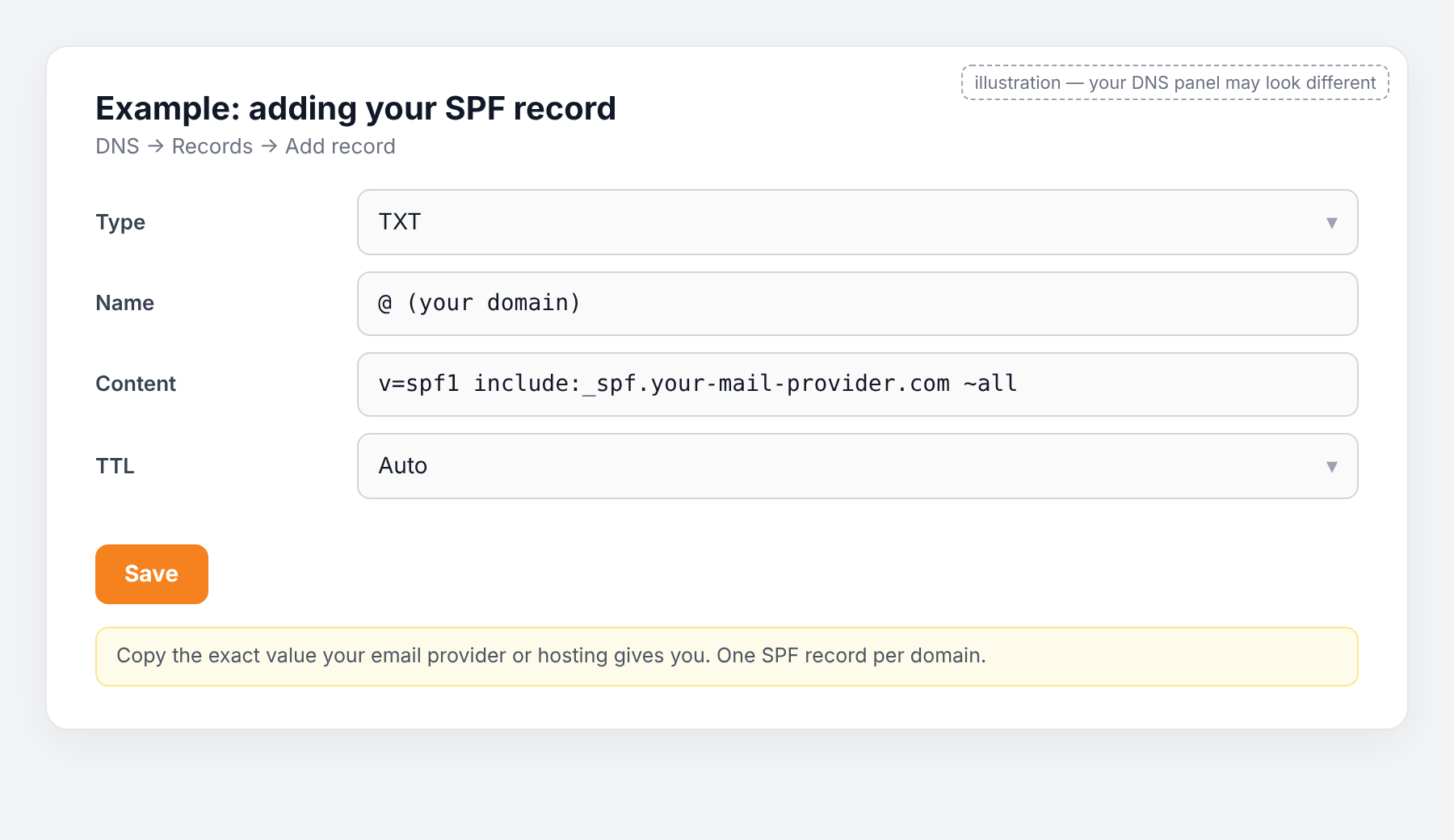
Press Add record and fill in:
| Field | Value |
|---|---|
| Type | TXT |
| Name | @ (some panels want your bare domain, e.g. example.com) |
| Content | v=spf1 include:_spf.your-provider.com ~all — replace the include with the one from the table above |
| TTL | Auto (or 3600) |
If you send through two services, list both includes before ~all:
v=spf1 include:_spf.your-host.com include:spf.your-email-service.com ~allKeep ~all at the end. (It means “treat anything else as suspicious”.) Do not use -all until SPF, DKIM and DMARC have all passed for a few days.
Press Save.
Step 4 — wait, then test again
DNS changes spread in five minutes to a few hours. Then in WordPress open Easy Form Builder → Settings → Email Settings → Check Email Server and look at the Sender permission (SPF) line. It should now say Looks good.

Common mistakes
- Two SPF records. Mailboxes then ignore both. Merge them into one.
- More than ten
include:lookups. SPF stops working. Remove services you no longer use. - A typo in the include. Copy it from the provider’s page; do not type it.
- Changing DNS at the registrar while the domain uses Cloudflare nameservers. The change does nothing. Edit where the nameservers point.
Frequently asked questions
My host says SPF is already set. Then the line in the test should say Looks good. If it still says Needs setup, your site sends from a server the record does not list — usually because an SMTP plugin is sending through another service. Add that service’s include.
Can I skip SPF and only do DKIM? No. Most mailboxes require SPF or DKIM to pass and to match your domain; DMARC needs at least one. Do all three.
Does this change anything on my website? No. It is a public note about your domain, read only by mailboxes.
Ready-made prompt for any AI assistant
[My details — replace]
My domain: example.com
My DNS is managed at: (Cloudflare / registrar name / hosting panel name)
Who sends my site's email: (my hosting company "X" / email service "Y" via plugin "Z")
Current SPF record, if any: (paste it, or "none")

[Instructions — do not change]
You are helping a non-technical WordPress site owner add ONE correct SPF record.
This is a DNS setting; the form plugin cannot do it. Rules: exactly one SPF record per domain,
end it with ~all, never more than ten include lookups.
1. Tell me the exact include value for the sender I named (or tell me where to copy it from).
2. Give me the final record as three fields: Type, Name, Content — ready to paste.
3. Walk me through adding it in my DNS panel, one step at a time; ask what I see before continuing.
4. Finish with: how long to wait, and how to re-check in Easy Form Builder → Settings → Email Settings.