Short answer: DKIM is switched on by whoever sends your email (your host or your email service), and they give you one record to copy, a TXT or CNAME whose name ends in ._domainkey (for example selector1._domainkey). Paste it into your DNS panel exactly as given, press Verify at the sender, and the email test shows Looks good. Easy Form Builder cannot sign email for you.
The email test showed Email signature (DKIM) — Needs setup. DKIM is the one record you cannot invent yourself: the value comes from whoever sends your email. This guide shows where to get it and where to put it.
This is a hosting and domain setting, not a plugin setting. The signature is added by the mail server that sends your email (your host or your email service), and the matching public key is a record in your domain’s DNS. Easy Form Builder only checks whether the signature is there; no form plugin can sign your email for you.
Video: DKIM in 2 minutes — the email signature —
What DKIM is, in one sentence
DKIM is a digital signature on every email, proving two things to the receiving mailbox: the email really comes from your domain, and nobody changed it on the way. The sending server signs; a record on your domain lets mailboxes verify the signature.
Step 1 — get the record from your sender
Who sends your email decides where the record comes from:
| Your emails are sent by | Where to get the DKIM record |
|---|---|
| Your hosting’s mail server | Your hosting panel usually has Email → DKIM (or “Email Deliverability”, “Authentication”). Many hosts add it with one click — or their support adds it for you if you ask “please enable DKIM for my domain”. |
| An email service through an SMTP plugin (Brevo, SMTP2GO, Mailjet, Postmark, Google Workspace…) | The service’s Domains → Authenticate page. It shows one or more records (Type, Name, Value) to copy. |
You will get a Name that ends in ._domainkey (for example selector1._domainkey) and a long Value that starts with v=DKIM1 — or, with some services, a CNAME record instead. Copy both exactly.
If your host offers no DKIM at all, DKIM alone is a good reason to use an email service: every one of them provides it.
Step 2 — open your DNS records
- Cloudflare: log in → your domain → DNS → Records.
- Elsewhere: the DNS / Zone Editor page of your registrar or host — wherever your domain’s nameservers point.
Step 3 — add the record
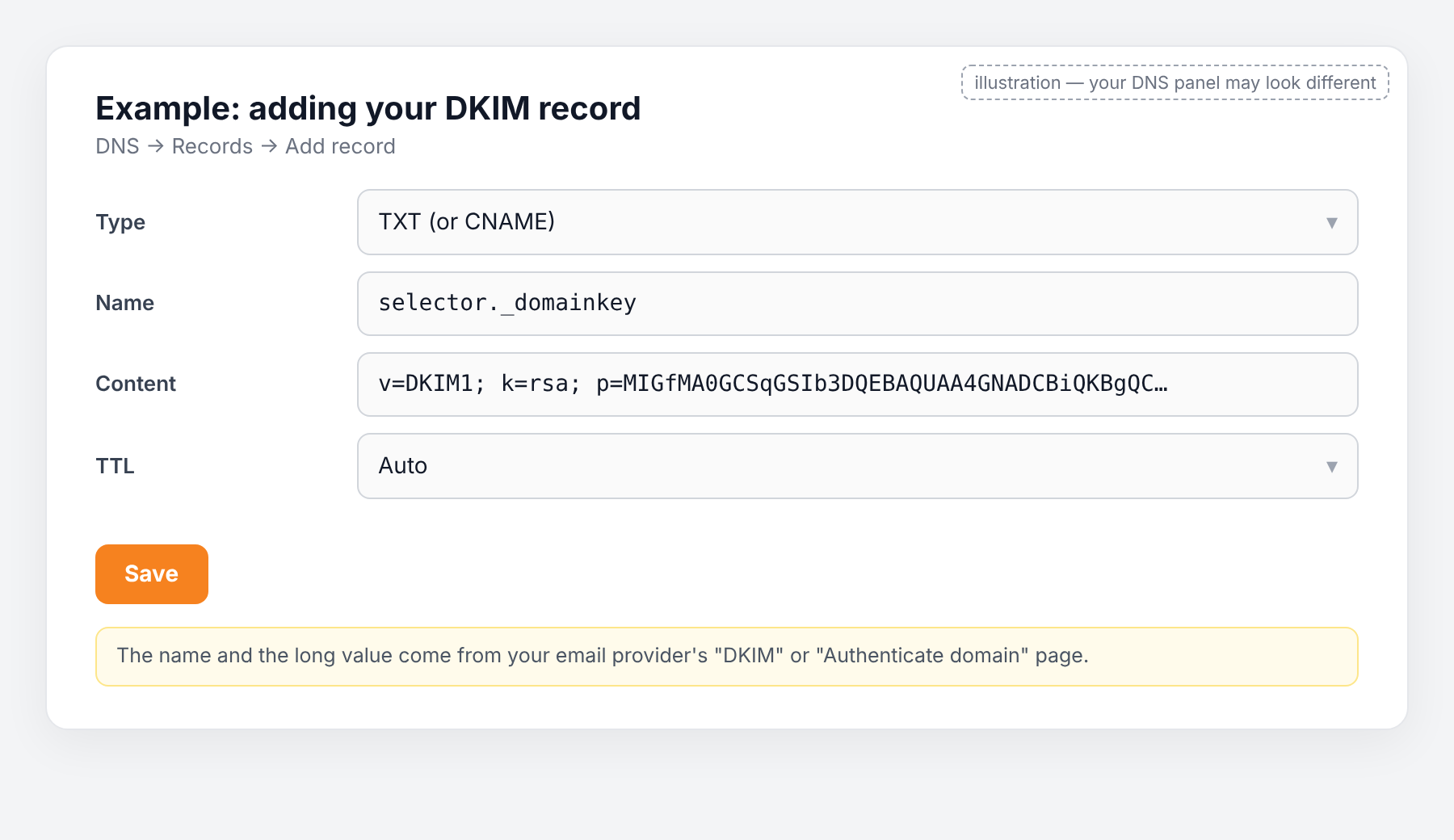
Press Add record and paste what the sender gave you:
| Field | Value |
|---|---|
| Type | TXT (or CNAME if the service said so) |
| Name | the selector, e.g. selector1._domainkey — most panels add your domain automatically; if the service gave you selector1._domainkey.example.com, enter only the part before .example.com |
| Content | the long value starting with v=DKIM1; k=rsa; p=… (or the CNAME target) |
| TTL | Auto |
The value is long and must be complete. Paste it; never retype it. Some panels split very long values into two quoted parts on their own — that is fine.
On Cloudflare, if the record is a CNAME, set the orange cloud to DNS only (grey). A proxied CNAME breaks DKIM.
Press Save. Repeat if the service gave you more than one record.
Step 4 — tell the sender it is done
Email services have a Verify button on the same page. Press it after a few minutes. Hosts usually need nothing more.
Step 5 — test again
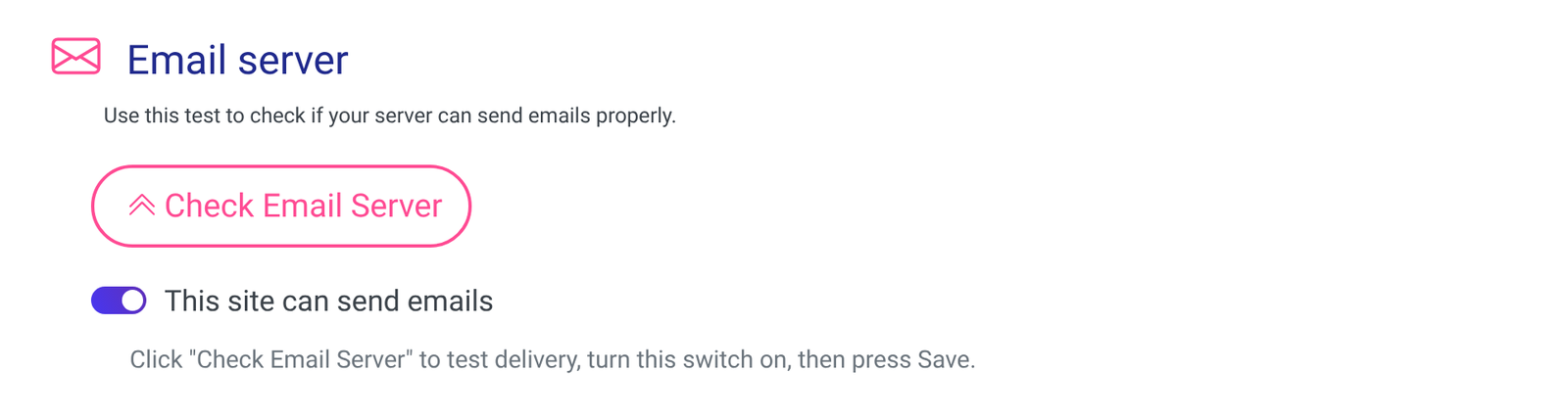
After five minutes to a few hours, run Easy Form Builder → Settings → Email Settings → Check Email Server. Email signature (DKIM) should now say Looks good.
Common mistakes
- Copying only part of the value. The key is 200–400 characters; a missing character breaks it.
- Entering the full name with the domain twice.
selector1._domainkey.example.com.example.comnever matches. - Proxied CNAME on Cloudflare. Switch the cloud to DNS only.
- Adding the record for a service you then do not use. The signature is only on email that service sends. Make sure the SMTP plugin on your site really sends through it.
Frequently asked questions
Is it dangerous to publish this key? No. It is the public half; the secret half stays with the sender.
My host has DKIM “enabled” but the test still says Needs setup. The email is probably sent by a different server than the one the host signed for — typically an SMTP plugin. Check which service actually sends, and get that service’s DKIM.
Do I still need SPF? Yes; see Set up SPF. DMARC needs at least one of them to pass and match your domain.
Ready-made prompt for any AI assistant
[My details — replace]
My domain: example.com
My DNS is managed at: (Cloudflare / registrar / hosting panel)
Who sends my site's email: (hosting company "X" / email service "Y" via plugin "Z")
The DKIM record my sender gave me, if any: Name: … Type: … Value: … (or "I cannot find it")

[Instructions — do not change]
You are helping a non-technical WordPress site owner add a DKIM record. This is a hosting/DNS
setting; the form plugin cannot sign email.
1. If I did not paste a record, tell me exactly where to find DKIM in my sender's panel
   (menu names), or what to write to my host's support to get it enabled.
2. Convert what I have into the three fields my DNS panel wants: Type, Name (without the domain
   repeated), Content. Warn me if the value looks truncated.
3. Walk me through adding it, one step at a time; on Cloudflare remind me to set a CNAME to
   "DNS only". Ask what I see before continuing.
4. End with: press Verify at the service, how long to wait, and how to re-check in
   Easy Form Builder → Settings → Email Settings.